
Authentication
Learn how to authenticate with LendFoundry APIs using Bearer tokens and API keys
Authentication
Looking to get started quickly?View our Quickstart Guide →
LendFoundry APIs use Bearer token authentication to secure all API requests. Every request must include a valid authentication token in the Authorization header. This guide explains how to obtain credentials, format authentication headers, and make authenticated requests to both the Loan Origination System (LOS) and Loan Management System (LMS).
Authentication Method
LendFoundry APIs use Bearer token authentication for all endpoints. The token must be included in every API request using the Authorization header with the format:
Authorization: Bearer <your-token>Token Format
- LOS API: Token-based authentication (provisioned by LendFoundry)
- LMS API: JWT Bearer token authentication
Both systems require the token to be prefixed with Bearer in the Authorization header.
Required Headers
All API requests must include these headers:
| Header | Description | Required |
|---|---|---|
Authorization | Bearer token: Bearer <your-token> | ✅ Yes |
Content-Type | application/json | ✅ Yes |
Accept | application/json | Optional |
Obtaining API Credentials
To obtain API credentials for LendFoundry APIs, contact your LendFoundry administrator or account representative. You will receive:
- API Token - Your authentication token for API access
- Tenant ID - Your organization's tenant identifier (for multi-tenant environments)
- Environment URLs - Base URLs for demo and production environments
Credential Information Provided
| Credential | Description | Example |
|---|---|---|
| API Token | Authentication token for API requests | eyJhbGciOiJIUzI1NiIsInR5cCI6IkpXVCJ9... |
| Tenant ID | Organization identifier | tenant-12345 |
| LOS Base URL | Loan Origination System endpoint | https://loc.demo.kendra.lendfoundry.com/v1 |
| LMS Base URL | Loan Management System endpoint | https://api.demo.lms.lendfoundry.com/v1 |
NoteAPI tokens are provisioned by LendFoundry and are specific to your organization and environment. Keep your tokens secure and never expose them in client-side code or public repositories.
Screenshots
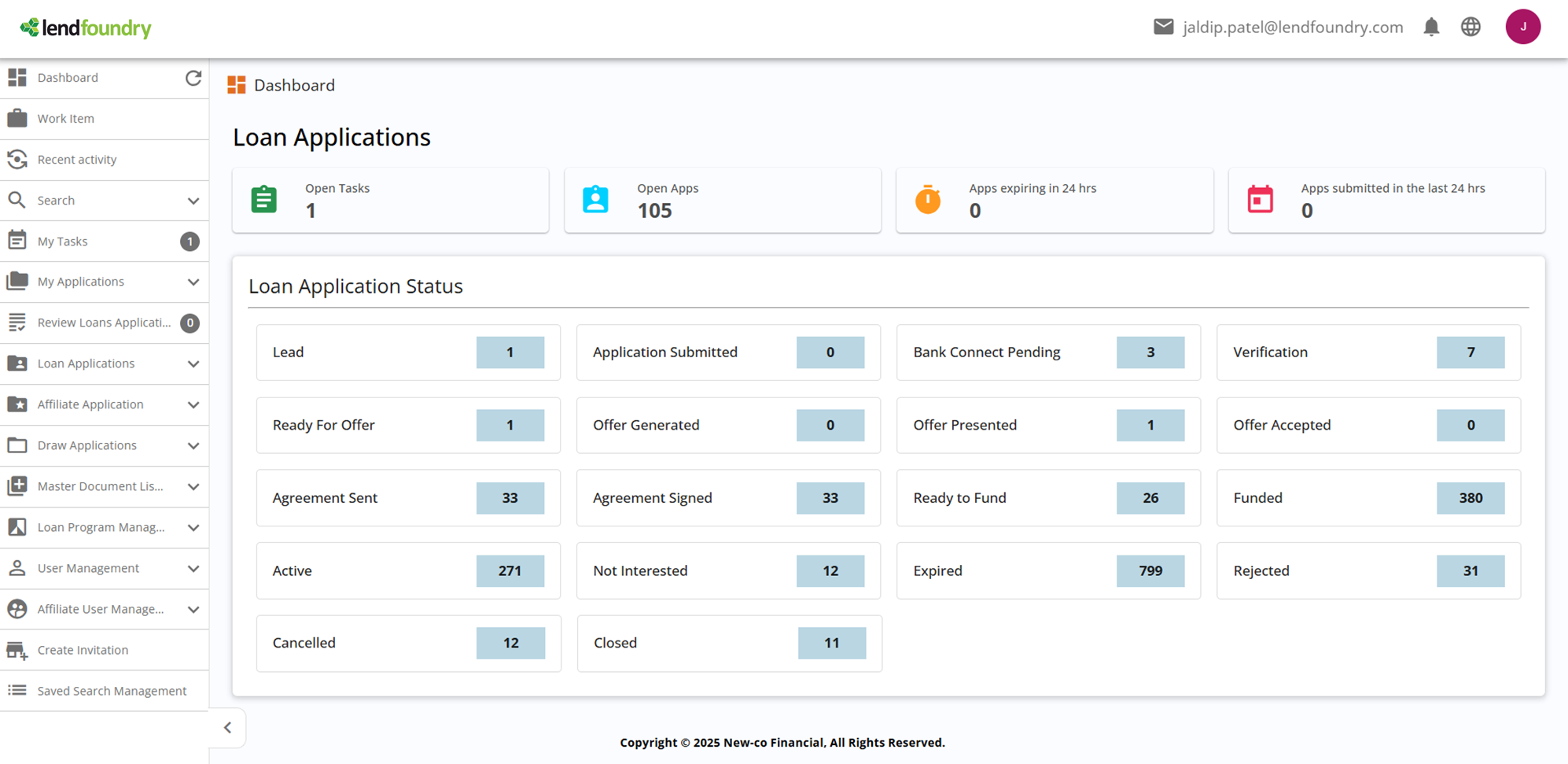
Screenshot: LOS Dashboard - Accessing SettingsThis screenshot shows the LOS dashboard interface. Navigate to Settings to access API key management and token generation features.
Making Authenticated Requests
Language SelectorThe code examples below are displayed in a tabbed interface in ReadMe.com. Click the language tabs (cURL, JavaScript, Python, Java) to switch between different code examples.
LMS API Request
The following examples demonstrate how to make authenticated requests to the LMS API:
curl -X GET "https://api.demo.lms.lendfoundry.com/v1/loan-management/loans/LN-2024-001" \
  -H "Authorization: Bearer YOUR_TOKEN" \
  -H "Content-Type: application/json"
const response = await fetch(
'https://api.demo.lms.lendfoundry.com/v1/loan-management/loans/LN-2024-001',
{
method: 'GET',
headers: {
'Authorization': 'Bearer YOUR_TOKEN',
'Content-Type': 'application/json'
}
}
);
if (!response.ok) {
throw new Error(`HTTP error! status: ${response.status}`);
}
const data = await response.json();
console.log(data);import requests
url = "https://api.demo.lms.lendfoundry.com/v1/loan-management/loans/LN-2024-001"
headers = {
"Authorization": "Bearer YOUR_TOKEN",
"Content-Type": "application/json"
}
response = requests.get(url, headers=headers)
response.raise_for_status()
data = response.json()
print(data)HttpClient client = HttpClient.newHttpClient();
HttpRequest request = HttpRequest.newBuilder()
.uri(URI.create("https://api.demo.lms.lendfoundry.com/v1/loan-management/loans/LN-2024-001"))
.header("Authorization", "Bearer YOUR_TOKEN")
.header("Content-Type", "application/json")
.GET()
.build();
HttpResponse<String> response = client.send(request,
HttpResponse.BodyHandlers.ofString());
System.out.println(response.body());LOS API Request
The following examples demonstrate how to make authenticated requests to the LOS API:
curl -X GET "https://loc.demo.kendra.lendfoundry.com/v1/darbaan/back-office/rest/api/applications/APP-2024-001" \
  -H "Authorization: Bearer YOUR_TOKEN" \
  -H "Content-Type: application/json"
const response = await fetch(
'https://loc.demo.kendra.lendfoundry.com/v1/darbaan/back-office/rest/api/applications/APP-2024-001',
{
method: 'GET',
headers: {
'Authorization': 'Bearer YOUR_TOKEN',
'Content-Type': 'application/json'
}
}
);
if (!response.ok) {
throw new Error(`HTTP error! status: ${response.status}`);
}
const data = await response.json();
console.log(data);import requests
url = "https://loc.demo.kendra.lendfoundry.com/v1/darbaan/back-office/rest/api/applications/APP-2024-001"
headers = {
"Authorization": "Bearer YOUR_TOKEN",
"Content-Type": "application/json"
}
response = requests.get(url, headers=headers)
response.raise_for_status()
data = response.json()
print(data)HttpClient client = HttpClient.newHttpClient();
HttpRequest request = HttpRequest.newBuilder()
.uri(URI.create("https://loc.demo.kendra.lendfoundry.com/v1/darbaan/back-office/rest/api/applications/APP-2024-001"))
.header("Authorization", "Bearer YOUR_TOKEN")
.header("Content-Type", "application/json")
.GET()
.build();
HttpResponse<String> response = client.send(request,
HttpResponse.BodyHandlers.ofString());
System.out.println(response.body());Screenshots
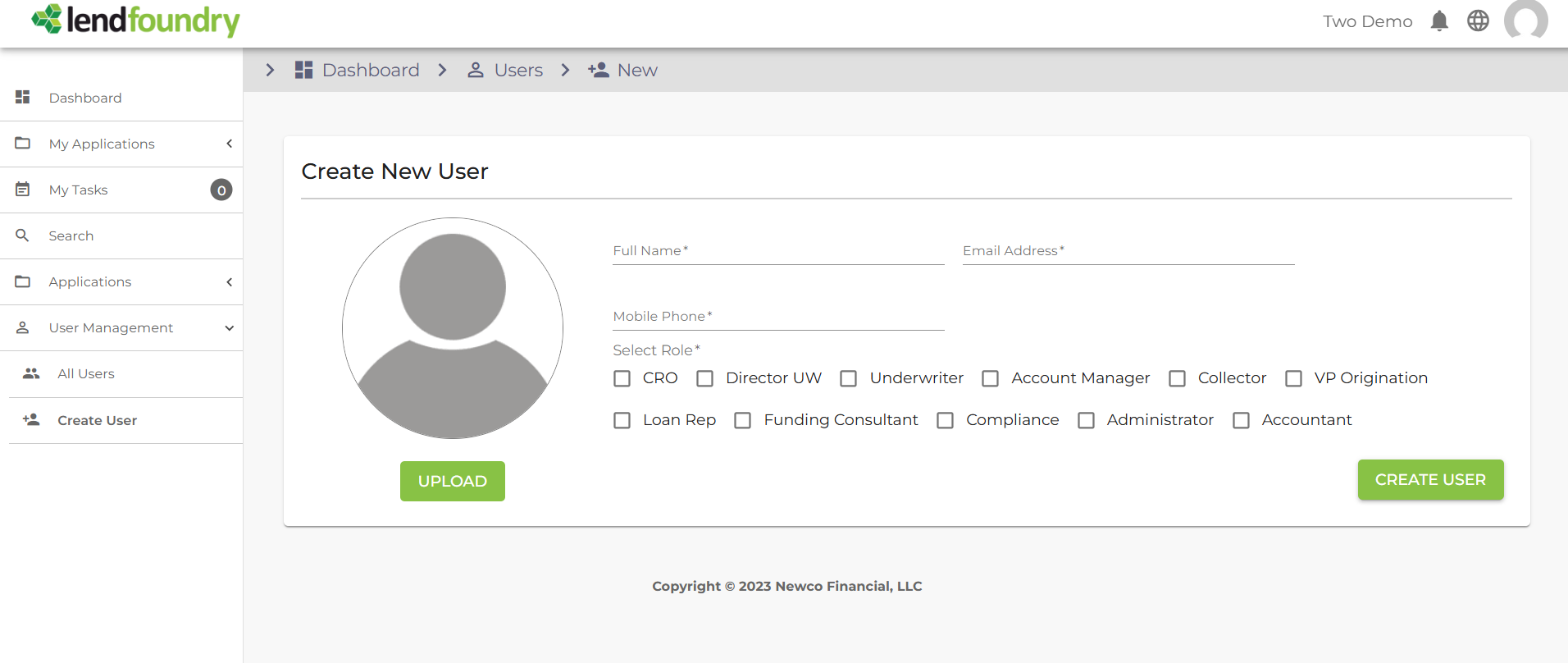
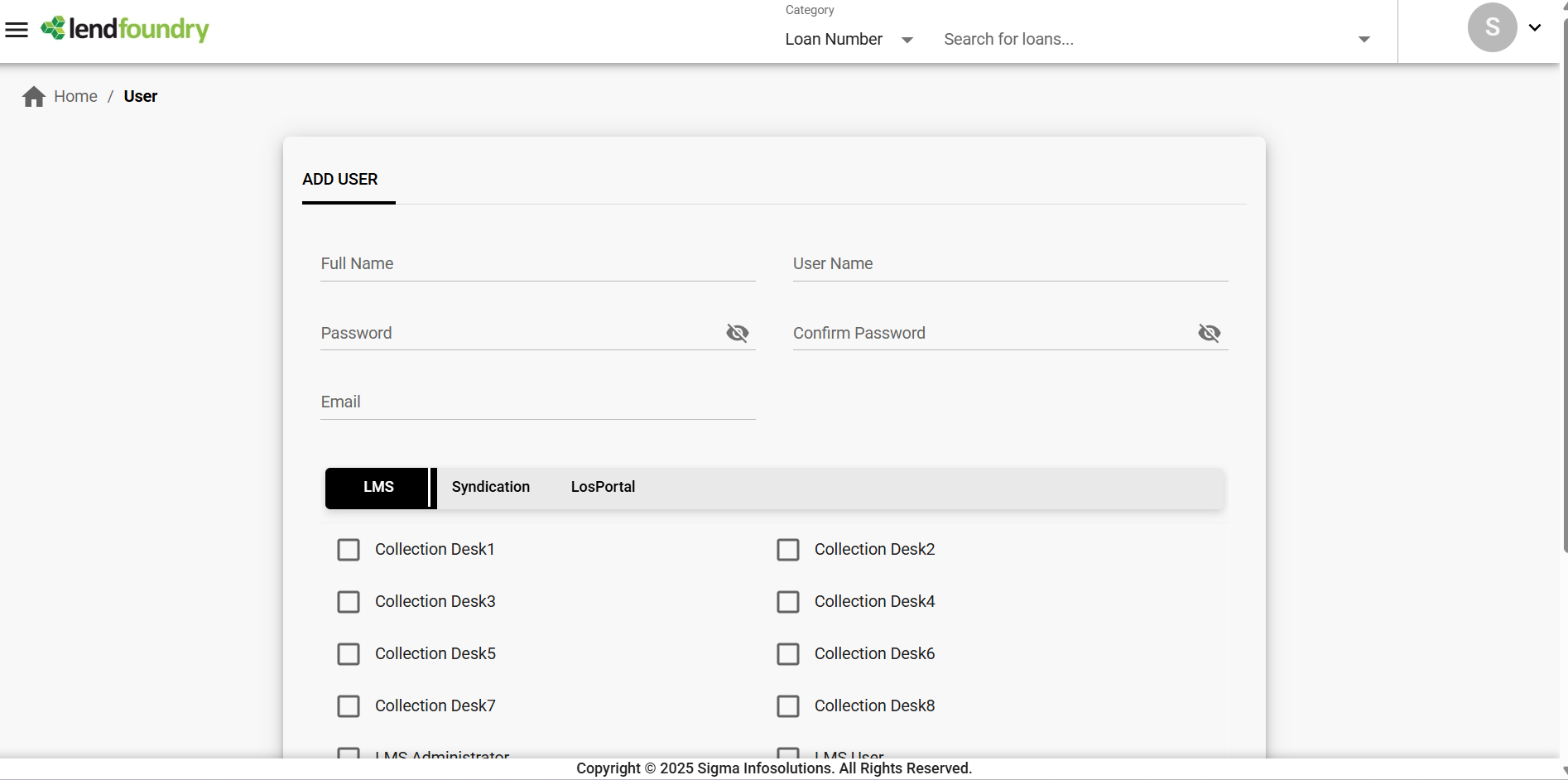
Screenshot: User Management and Role AssignmentThis screenshot shows the user management interface where API tokens and authentication credentials are managed. This is where you can view and manage API access permissions.
Multi-Tenant Authorization
LendFoundry APIs support multi-tenant environments where each organization operates in an isolated tenant space. Your API token is automatically scoped to your tenant, ensuring data isolation and security.
Tenant Isolation
- Data Access: Your API token only provides access to data within your tenant
- Automatic Scoping: All API requests are automatically scoped to your tenant
- Security: Cross-tenant data access is prevented by the authentication system
Tenant-Specific Operations
When making API requests, your tenant context is automatically applied:
- Applications created through your API are associated with your tenant
- Loan data retrieved is filtered to your tenant's loans only
- User permissions are scoped to your tenant's users
NoteTenant isolation is handled automatically by the authentication system. You do not need to include tenant identifiers in API requests—your token provides the necessary context.
Token Security Best Practices
Security WarningNever expose your API tokens in client-side code, public repositories, or shared documentation. Treat tokens as sensitive credentials.
Best Practices
-
Use Environment Variables
- Store tokens in environment variables, not in code
- Use secure secret management systems in production
-
Rotate Tokens Regularly
- Request new tokens periodically to limit exposure
- Revoke old tokens when rotating to new ones
-
Use HTTPS Only
- Always use HTTPS endpoints (never HTTP)
- Verify SSL certificates in production environments
-
Restrict Token Access
- Limit token access to only necessary team members
- Use separate tokens for different environments (demo vs. production)
-
Monitor Token Usage
- Review API access logs regularly
- Revoke tokens immediately if compromised
Example: Environment Variable Usage
// ✅ Good: Use environment variable
const token = process.env.LENDFOUNDRY_API_TOKEN;
const response = await fetch(url, {
  headers: {
    'Authorization': `Bearer ${token}`
  }
});// ❌ Bad: Hardcoded token
const token = 'eyJhbGciOiJIUzI1NiIsInR5cCI6IkpXVCJ9...';Screenshots
Screenshot: Secure Application Data AccessThis screenshot demonstrates secure data access through authenticated API calls. All data shown here requires valid authentication tokens to access via the API.

Common Authentication Errors
The following table lists common authentication errors and their solutions:
| Status Code | Error | Cause | Solution |
|---|---|---|---|
401 Unauthorized | Invalid or missing token | Token is missing, expired, or malformed | Verify token is included in Authorization header with Bearer prefix |
403 Forbidden | Insufficient permissions | Token is valid but lacks required permissions | Contact your administrator to update token permissions |
400 Bad Request | Invalid header format | Authorization header format is incorrect | Ensure header format is Authorization: Bearer <token> |
Troubleshooting Authentication Issues
Problem: Receiving 401 Unauthorized errors
Solutions:
- Verify the token is included in the
Authorizationheader - Ensure the token is prefixed with
Bearer(with a space afterBearer) - Check that the token hasn't expired or been revoked
- Confirm you're using the correct token for the environment (demo vs. production)
Problem: Receiving 403 Forbidden errors
Solutions:
- Verify your token has the required permissions for the endpoint
- Check that you're accessing resources within your tenant scope
- Contact your LendFoundry administrator to review token permissions
Next Steps
Now that you understand authentication, explore these resources:
| Resource | Description |
|---|---|
| Quickstart Guide | Make your first API call in minutes |
| Base URLs Reference | Complete list of all microservice endpoints |
| Response Codes Guide | Understand API response codes and error handling |
| API Reference | Interactive API documentation |
Ready to Make Your First API Call?Head to the Quickstart Guide to make your first authenticated API request.
Updated 9 months ago